



Blog
How to Choose Simulation Center Management and Debriefing Workflows That Actually Scale
Running ten simulations a month is a scheduling challenge. Running a hundred is an operations problem. The difference between programs that scale smoothly and those that stall is rarely the quality of the clinical content. Instead, it is the infrastructure behind it. Simulation center management software determines whether your team is spending time on education or on administrative overhead.
For simulation center directors evaluating platforms, the question is not simply which tool records video. Rather, it is which platform supports your entire workflow, from scenario setup through performance review, and continues to perform as program volume grows.
What Separates Basic Debriefing Tools from Enterprise-Ready Simulation Center Software
Entry-level AV solutions for simulation centers typically do one thing well: they record. A camera captures the scenario, the footage is available for playback, and the instructor runs the debrief from memory and observation. For smaller programs, that works well when volume is low and the center has only one or two rooms.
However, the gap becomes apparent as programs expand. Instructors need to annotate footage in real time instead of sorting through untagged recordings afterward. Education coordinators need to schedule multiple rooms and learner cohorts without relying on spreadsheets. At the same time, program directors need aggregate learner performance data rather than individual session notes locked away in an instructor’s notebook.
Enterprise-ready simulation center management software handles all of these needs simultaneously. The core capabilities that distinguish scalable platforms include:
- Real-time AV control with timestamped annotation
- Scenario authoring and management within the same system
- Learner tracking that persists across sessions
- Performance analytics that aggregate across cohorts
- Scheduling tools that coordinate rooms, equipment, and instructor assignments together
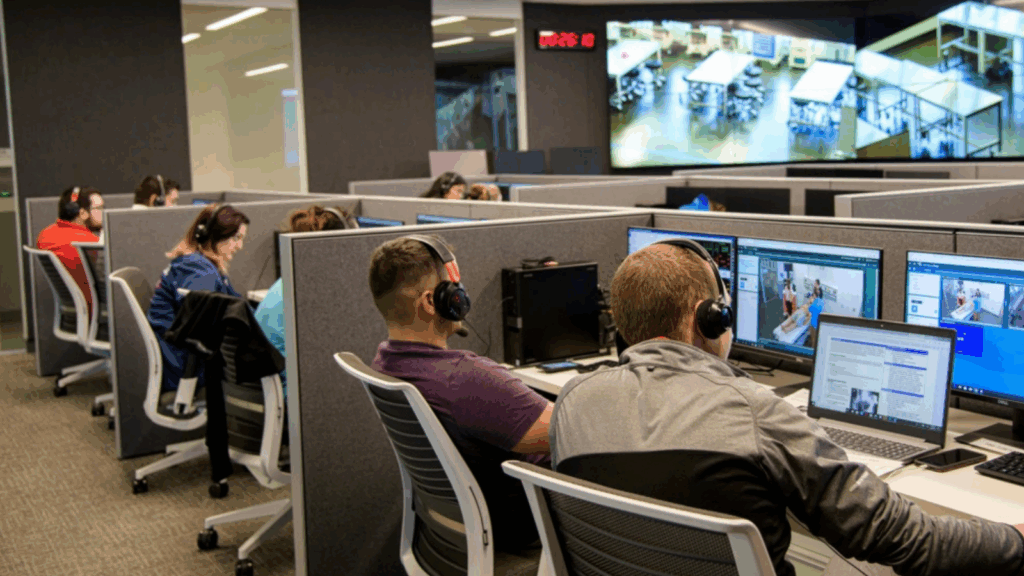
LearningSpace is built on an audiovisual backbone that enables real-time observation, recording, and timestamped annotations with immediate playback, making video-enhanced debriefing a practical workflow rather than a post-session project. From there, the platform supports the additional center management and reporting capabilities that growing simulation programs require.
The distinction matters when choosing a platform. A general AV system built for corporate training or lecture capture was not designed for the specific workflow of a healthcare simulation center. The scenario structures, learner roles, debriefing models, and performance frameworks used in healthcare simulation are highly specialized. As a result, a platform designed specifically for this environment handles those requirements natively, while one that was not will require workarounds that multiply as your program grows.
How Recording and Video Review Workflows Change as Simulation Volume Grows
At low volume, video review is a one-to-one activity. An instructor watches the recording with the learner, identifies a few key moments, and delivers feedback. The process is personal and flexible, but it does not scale.
As simulation volume increases, three common challenges emerge:
- Footage becomes difficult to retrieve and organize. Without tagging, naming conventions, or structured metadata, a library of recordings quickly becomes unusable.
- Debrief quality becomes inconsistent across instructors. Without shared frameworks and reference points, different instructors assess the same performance differently.
- Program-level review becomes impossible. If performance data exists only as individual recordings and instructor notes, center directors cannot identify patterns across cohorts or demonstrate outcomes to institutional leadership.
Scalable platforms address all three. Timestamped annotation during the scenario, including flagging decision points, communication gaps, or clinical errors in real time, means the debrief starts with a structured reference instead of a general impression. Likewise, consistent tagging across sessions makes footage retrievable and comparable. Finally, aggregate performance data across scenarios and learner groups allows program directors to identify trends and make informed decisions based on documented evidence rather than individual observations.
HIPAA Considerations for Debriefing Recordings in a Hospital Setting
Simulation recordings in hospital-based centers occupy a specific space within the HIPAA framework. The scenarios involve actors or standardized patients rather than real patients, which removes the primary source of protected health information. Even so, the environment can introduce PHI in other ways, including conversations that reference real patients, patient charts visible in the background, or documentation present during in-situ drills.
Audio and video recordings that contain protected health information (PHI) must be protected using encryption, access controls, and secure storage solutions. Consequently, simulation centers operating within hospital systems should verify that the platform they use stores recordings on secure infrastructure, restricts access to authorized personnel, and supports their institution’s data governance policies.
This is a practical evaluation criterion, not a theoretical one. When assessing simulation center management software, ask the vendor directly where recordings are stored, who can access them, how long they are retained, and what agreements govern the vendor’s handling of your data. Purpose-built healthcare simulation platforms have answers to these questions built into their architecture. General AV tools may not.
What a Scalable Simulation Center Management Workflow Looks Like
With three software tiers, LearningSpace offers benefits to simulation centers of all sizes, enhancing operational efficiency from core AV and debriefing through full center management and advanced reporting. In other words, it is a platform designed for healthcare simulation workflows from the ground up, rather than a general AV or LMS tool adapted to fit.
At Elevate Healthcare (formerly CAE Healthcare), our specialists are ready to help simulation center directors evaluate their current workflow against what a purpose-built platform can support. Connect with a simulation specialist today.